▲ 162 r/theavalanches
Happy 10th Anniversary to 'Wildflower'!
Feels like only yesterday that 16 year wait was finally coming to an end.
u/People-Want-Ducks — 5 days ago
Feels like only yesterday that 16 year wait was finally coming to an end.
Hey folks, odd question that might just be me having not noticed it before, having missed an update, or just pressed something wrong.
When I tap the top of the screen while reading a book and it shows a preview of the page, the previous and preceding page, and shows how many are left, etc., I’ve noticed that each and every page shows the outline of the little bookmark logo.
I don’t remember it being there before, these pages aren’t bookmarked (more like a, ‘press here to bookmark it’), and I’ve no idea if I pressed anything to make it happen.
Am I going crazy? Or is this something I can revert, since it looks like I’m bookmarking every page.
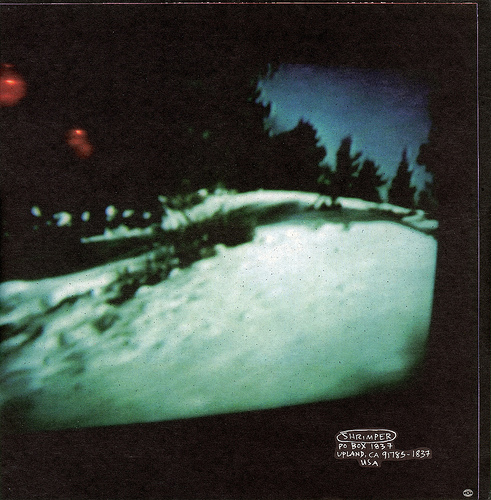
Not sure if this has been mentioned before, but the liner notes Sweden state: "The back cover is from Marcella ZITA's Walking on Snow, maybe the best film I've ever seen."
Turns out this was uploaded to YouTube a few years back, with the rear cover shot available here:
I have a weird situation I'm trying to work out here, and it's more of a logic exercise that I'm trying to fix rather than a necessity.
But I'm looking at a podcast's list of episodes and how the episode numbers work, guest lists, bonus episodes, etc., and I'm wondering how I would make this work.
Assume I have the following, with
| Episode | Guest | Organisation | Episode Title |
|---|---|---|---|
| 8 | Steve | Apple | Episode 8: Steve – Apple |
| 9 | Tim | Episode 9: Tim | |
| Bonus Episode 3 | Bill | Microsoft | Bonus Episode 3: Bill – Microsoft |
| Bonus Episode 4 | Bob | Bonus Episode 4: Bob |
The idea here would be that, if an episode has an organisation attached to it, the title will return the organisation name after the episode number and the guest's name, but if there is no organisation, then it will simply say the episode number and the guest's name.
It's much the same for the bonus episodes, though the difference is that it will now include the word 'Bonus' before the episode name.
I'm assuming some sort of formula including following would work for the regular episodes
=IF(C2<>"", ("Episode "&A1&": "&B2&" – "&C2), ("Episode "&A2&": "&B2))
But how would I then incorporate the 'Bonus Episode' part into it?
I figured something that incorporates the following, but I can't quite swing it:
=IF(LEFT(A3,3)="BON")
How could I go about making this work?