▲ 0 r/3DDruck+1 crossposts

3d Drucker auswahl

Hallo zusammen,

ich überlege aktuell, mir einen Bambu Lab Drucker zu kaufen, und schwanke zwischen:

  • Bambu Lab A1 gebraucht 180€
  • Bambu Lab A1 neu 250€
  • Bambu Lab P1S gebraucht 190€

Preislich liegen die Angebote teilweise recht nah beieinander, deshalb bin ich unsicher, welche Option langfristig am meisten Sinn ergibt.

Ich drucke hauptsächlich technische Teile, Gehäuse und Aber auch oft mit tpu , Geschwindigkeit ist nett, aber wichtiger sind mir Zuverlässigkeit, Druckqualität und ein gutes Außerdem sollte er etwas leiser sein und muss von bambulab sein . Mein Budget sind maximal 250€

Mich würden besonders eure Erfahrungen zu folgenden Punkten interessieren:

  • Risiken beim Kauf eines gebrauchten Druckers
  • Vorteile des P1S gegenüber dem A1 im Alltag
  • Ob man beim A1 lieber direkt neu kaufen sollte

Ich freue mich über jede Meinung oder Erfahrung.

Vielen Dank!

reddit.com
u/Lazy-Gap-638 — 11 days ago
▲ 3 r/diydrones+1 crossposts

What do you think of my DJI O4 Wide camera protector?

The DJI O4 Wide Transport Protector is designed to protect the camera during storage and transportation from scratches, dust, and accidental damage. It fits securely over the camera lens and housing, helping to keep the camera in excellent condition when the drone is not in use. The lightweight, custom-fit design allows for quick installation and removal, making it an ideal accessory for safe transport and storage of your FPV drone.

link from maker world : https://makerworld.com/de/models/3261270-dji-04-wide-protection

u/Lazy-Gap-638 — 1 month ago
▲ 3 r/diydrones+1 crossposts

dji o4 wide + Happymodel crux 35 v2 analog

DJI O4 Wide in die Happymodel Crux35 V2 Analog einbauen

Benötigte Teile

  • DJI O4 Air Unit Wide
  • Lötkolben und Lötzinn
  • Kleine Schraubendreher
  • Kabelbinder oder doppelseitiges Klebeband
  • Optional: TPU-Halterung für die O4-Kamera

Schritt 1 – Analoge Komponenten entfernen

Zuerst den Akku abstecken und die Canopy abschrauben.

Danach den analogen VTX ausbauen. Die analoge Kamera wird ebenfalls nicht mehr benötigt, da die DJI O4 ihre eigene Kamera besitzt.

Schritt 2 – Freien UART finden

Auf der Crux35 AIO-Platine einen freien UART suchen, zum Beispiel:

  • TX2 / RX2
  • TX3 / RX3

Falls bereits ELRS verbaut ist, wird meistens UART1 genutzt. Dann einen anderen freien UART verwenden.

Schritt 3 – DJI O4 anlöten

Die wichtigsten Verbindungen sind:

  • Rot → 5V, 9V oder VBAT (je nach FC-Version)
  • Schwarz → GND
  • Weiß (RX der O4) → TX des Flight Controllers
  • Grau (TX der O4) → RX des Flight Controllers

Wichtig: TX und RX werden gekreuzt angeschlossen. DJI gibt für den Canvas-Mode ebenfalls an, dass der RX-Port der Air Unit mit einem TX-Port des Flight Controllers verbunden werden muss.

Nach dem Löten alle Verbindungen auf Kurzschlüsse prüfen.

Schritt 4 – O4 befestigen

Die O4 Air Unit wird normalerweise hinten auf dem Frame montiert.

Achte darauf, dass:

  • die Antenne frei nach hinten zeigt,
  • keine Kabel in die Propeller geraten,
  • die Air Unit etwas Luftstrom bekommt.

Die Kamera wird vorne in der Canopy befestigt. Oft benötigt man dafür eine spezielle TPU-Halterung für die O4 Wide.

Schritt 5 – Betaflight einstellen

Den Copter mit Betaflight verbinden.

Unter Ports:

  • Den verwendeten UART auswählen.
  • MSP aktivieren.
  • Speichern und neu starten.

Bei neueren Betaflight-Versionen wird für DJI häufig MSP + DisplayPort verwendet.

Danach im OSD-Menü die gewünschten Anzeigen aktivieren.

Schritt 6 – Mit den Goggles verbinden

  1. O4 einschalten.
  2. Goggles einschalten.
  3. Link-Taste an der O4 drücken.
  4. Pairing in den Goggles starten.
  5. Warten, bis die Verbindung hergestellt ist.

Jetzt solltest du Bild und OSD sehen.

u/Lazy-Gap-638 — 2 months ago
▲ 2 r/diydrones+2 crossposts

DJI O4 Wide TPU Camera Mount for Volador VX3.5 – Looking for Feedback

Hi everyone,

I designed a TPU camera mount for the DJI O4 Wide Camera on the FlyFishRC Volador VX3.5 and wanted to get some feedback from the community.

I wasn't completely satisfied with the available mounting options, so I created my own solution. The mount is specifically designed for the Volador VX3.5 frame and the DJI O4 Wide Camera. My goal was to achieve a secure fit, good camera protection, and minimal vibrations while keeping the design lightweight.

Features:

  • Designed for the FlyFishRC Volador VX3.5
  • Compatible with the DJI O4 Wide Camera
  • TPU printable (95A recommended)
  • Additional camera protection
  • Simple installation
  • Lightweight design

I'd love to hear your thoughts:

  • Would you use a mount like this?
  • What camera angle do you typically fly on a 3.5" freestyle build?
  • Do you have any suggestions for improvements?

If there's enough interest, I'd be happy to upload and share the STL file.

Thanks for your feedback and happy flying!

u/Lazy-Gap-638 — 2 months ago
▲ 2 r/DeskCableManagement+1 crossposts

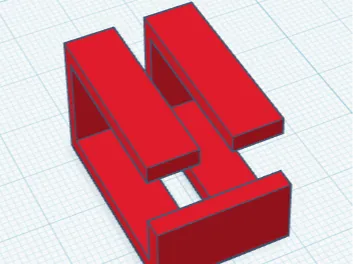
Desk Upgrade

Cabel organiser

A cable tray under the desk helps keep the workspace organized and safe. It can be used to store power, monitor, and charging cables neatly, preventing them from cluttering the floor or desk surface. This not only improves the appearance of the workspace but also makes cleaning easier and reduces the risk of tripping. A cable tray is a simple and practical solution for maintaining a tidy work environment.

https://makerworld.bblmw.com/makerworld/model/DSM00000003118015/design/023fbb1ca183fb34.png?x-oss-process=image%2Fformat%2Cwebp

makerworld.com
u/Lazy-Gap-638 — 3 months ago
▲ 5 r/3DprintingHelp+1 crossposts

Should I buy the Bambu Lab A1 or the A1 Mini?

Hi everyone,

I'm looking to buy my first Bambu Lab 3D printer and can't decide between the A1 and the A1 Mini.

I'll mainly be printing:

  • PC accessories and parts
  • Functional prints
  • Gadgets and desk items
  • Some decorative models
  • Possibly larger projects in the future

From what I've seen, both printers offer very similar print quality and features. The biggest difference seems to be the build volume: the A1 Mini has a 180×180×180 mm build area, while the A1 offers 256×256×256 mm.

The A1 Mini is cheaper and takes up less space, but I'm worried that I might regret the smaller build volume later on.

For those who own either printer:

  • Which one did you choose and why?
  • Do you ever run into size limitations with the A1 Mini?
  • Is the A1 worth the extra money?
  • If you were buying your first printer today, which one would you get?

Thanks for any advice!

reddit.com
u/Lazy-Gap-638 — 3 months ago