▲ 32 r/MitchellAndWebb
Rare footage of the SECOND attempt at an American version of Peep Show
u/TheNathanNS — 11 days ago
So hello and welcome to my guide on how to find deleted YouTube videos, now this won't work 100% of the time, but may make finding them easier.
----REQUIREMENTS----
Now I primarily run Windows, but this method should work on MacOS/Linux.
Anyway, you need:
SOME form of link to a channel you wish to archive or scan, be it a channel ID or a video URL.
So, for most of this tutorial, I'll be using a channel that I was a huge fan of that got deleted in 2019 "GeneralMinus" but may use other channels as examples too.
Full disclaimer: this is likely to work better with channels that were alive in 2012 or so, reason for this is because I tried looking at really old lost media cases from vintage YouTube (ie Big Star Secret) but those channels were deleted before YouTube incorporated the whole ID thing.
STEP 1: ACQUIRING A LINK FROM THE CHANNEL (somehow)
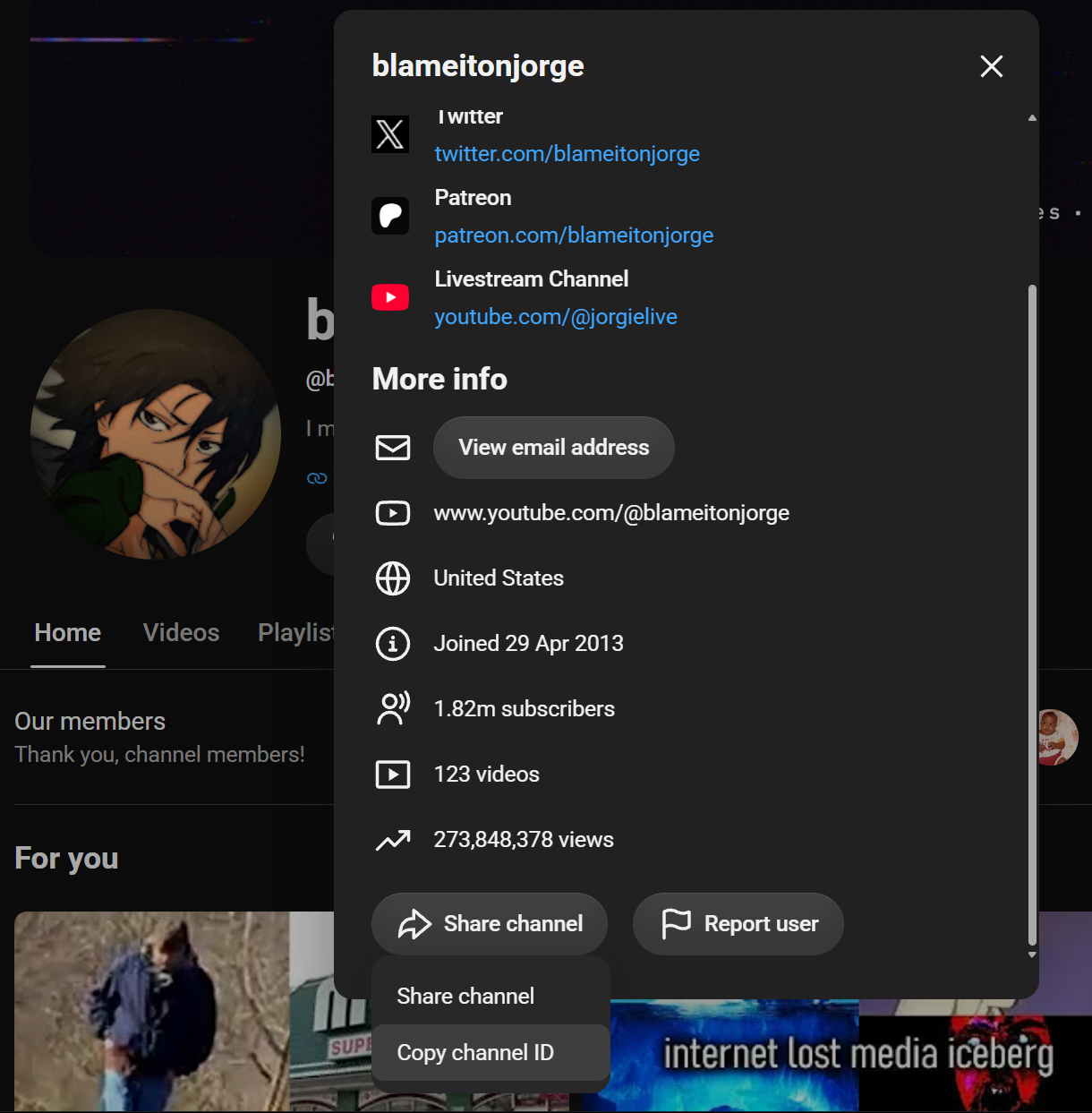
Using "blameitonjorge" as an example here, IF the channel is still "up" and not deleted, you can easily acquire the channel ID by going directly to their channel, clicking their about" and scrolling to the bottom and clicking "share channel" and "copy channel ID"
Alternatively, if the channel is deleted, like GeneralMinus is, you'll need a URL of their video somehow, now, be it from a playlist, or even email notification.
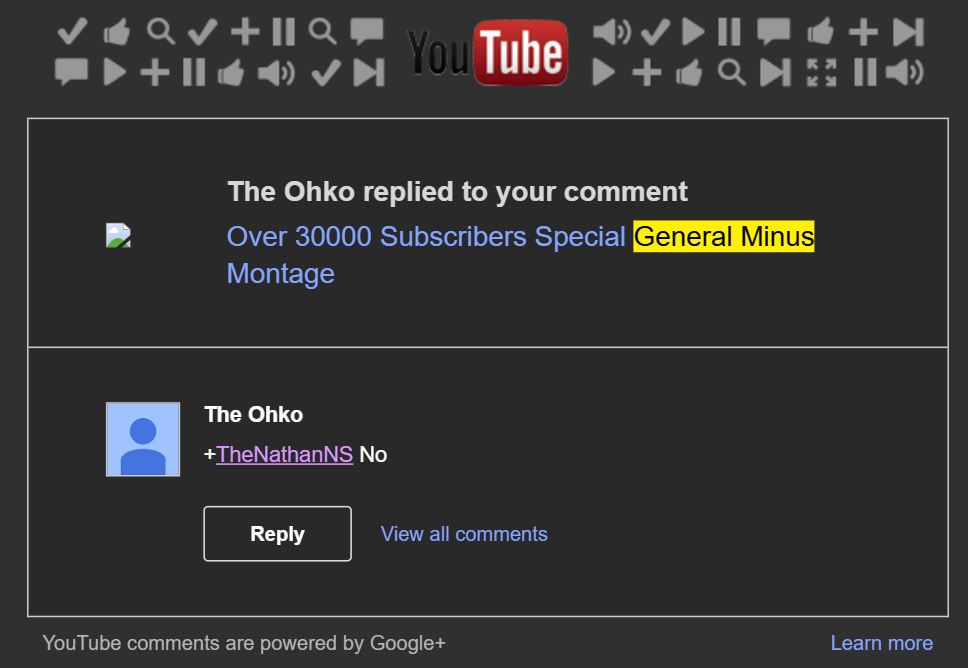
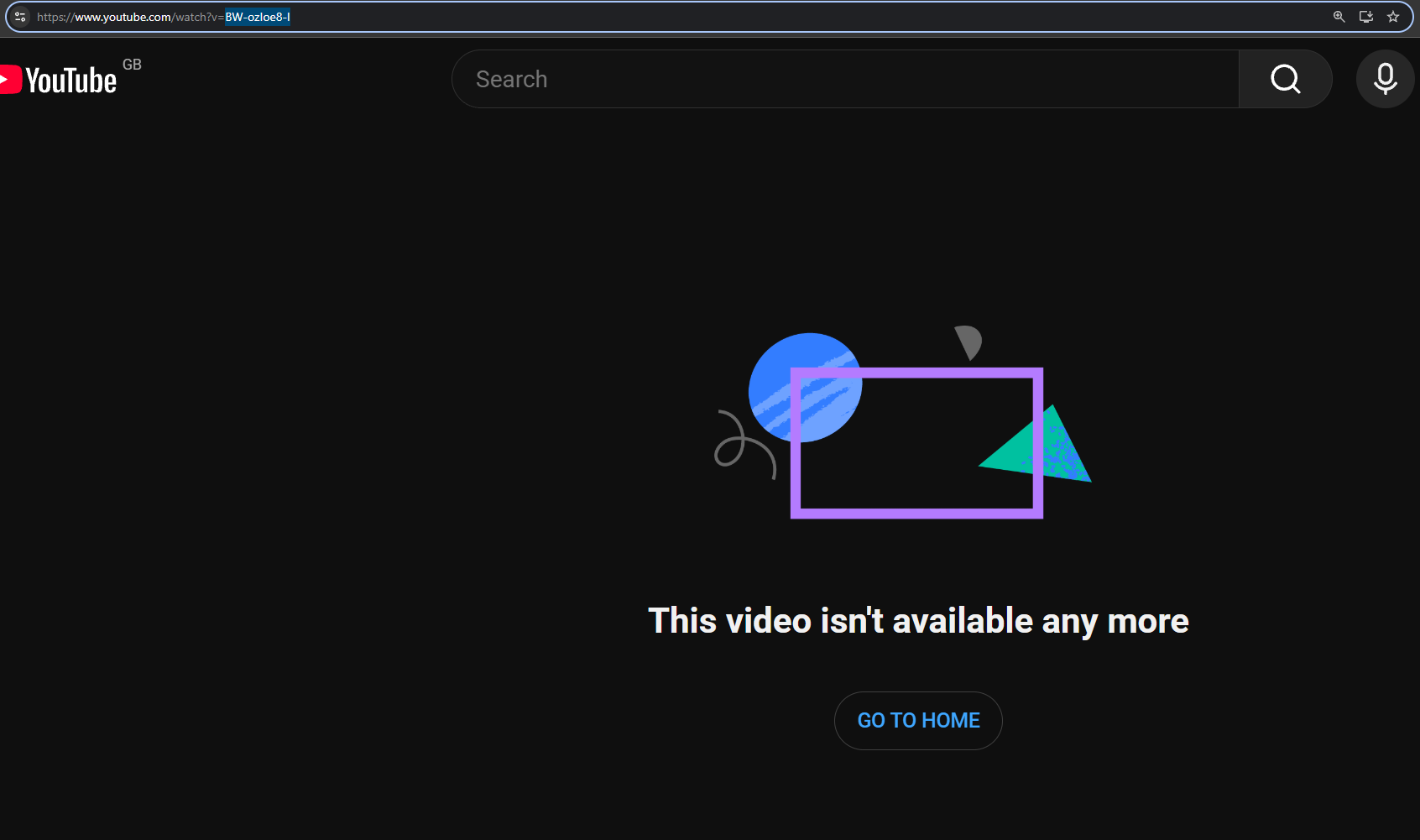
Here, I have a reply from 2015 in my email from a General Minus video I commented on and got a reply to., now clicking that URL, obviously brings me to a dead page
BUT I HAVE MY VIDEO ID: BW-ozIoe8-I
STEP 2: ACCESSING THE ARCHIVES
Now, we head over to "filmot", which is a GOLD MINE for finding metadata.
https://filmot.com/channel/ < paste channel ID here if you have the channel ID
If you just have a video URL, the regular filmot homepage will do (https://filmot.com/)
**IF YOU ONLY HAVE A VIDEO ID: **
Because GM's channel is gone, we'll be using the video ID method, simply paste the video ID into the top bar (next to "auto")
Oh look, even though the video has been DELETED for over 7 years, we have access to the entire metadata! The title, the URL, the subtitles and more!
But, don't click that "try playing from archive.org" button, we'll go for the BIG option, even though GM's channel is gone, clicking his name takes us to his entire channel's archive on filmot (direct page on Filmot for you to test this yourself)
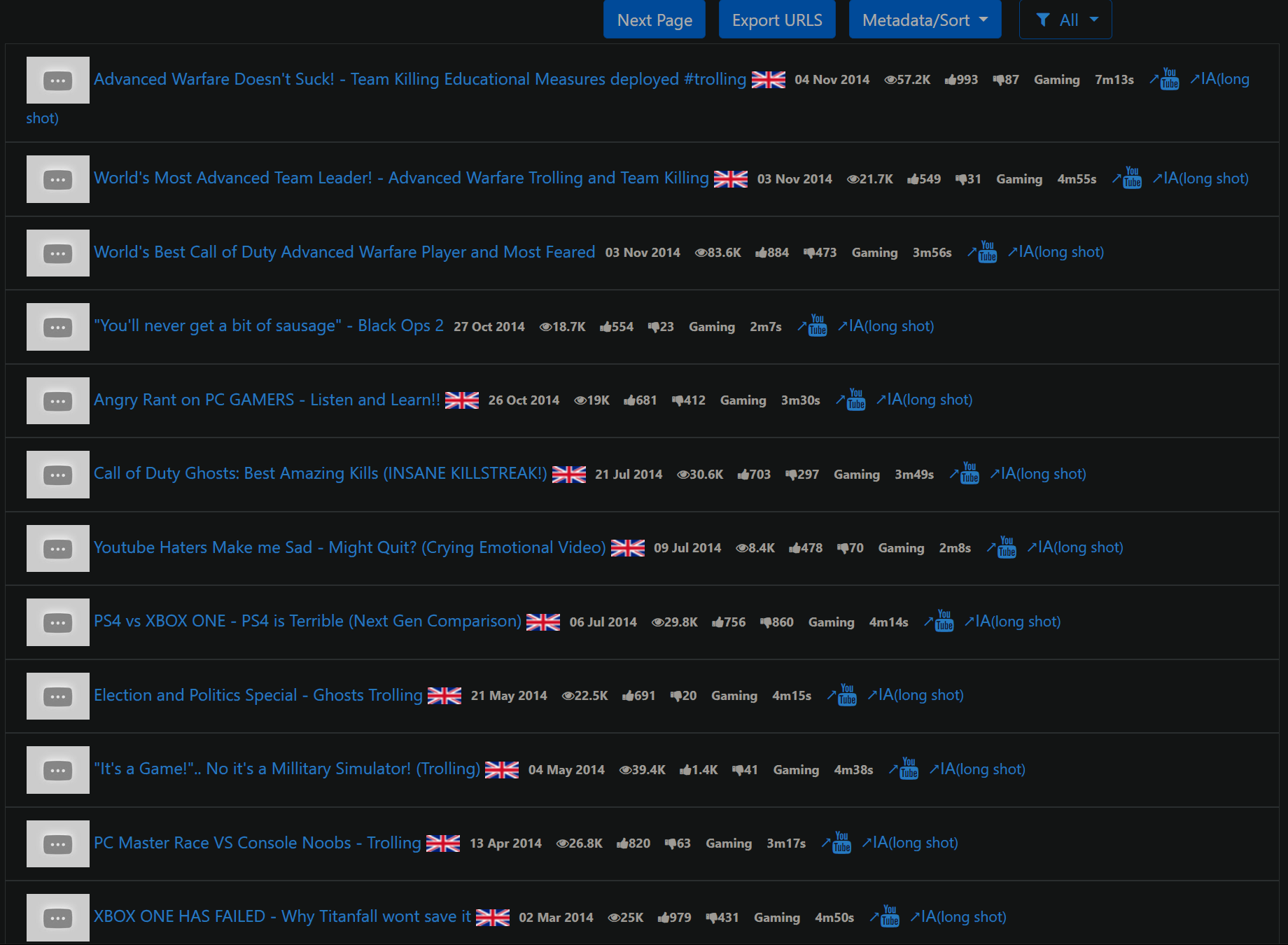
Scroll down a bit and look at ALL those videos that have been saved, inc their original titles, date of upload, their likes and dislikes etc.
Now, depending if the channel is deleted or not, you may want to check the filter, IF the entire channel is deleted, simply click "export URLs" (IF you want to see the deleted videos, click the "all" filter and set it to unavailable for the same result)
NOTE FOR THIS: Filmot will show the 100 most recent videos, IF your chosen channel has more, click "next page", it'll auto-group them by date, so if say, your channel of choice deleted 2 videos out of their past 100, but erased 10 from "100 - 200", the 10 they deleted MAY show up on page 2 etc.
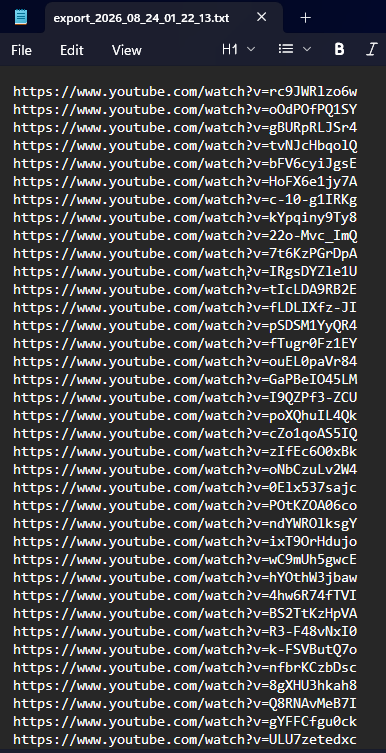
It'll download a TXT with (up to) 100 URLs from the channel
Now we have our channel's video URLs, time for step 3.
STEP 3: PREPARING THE URLS
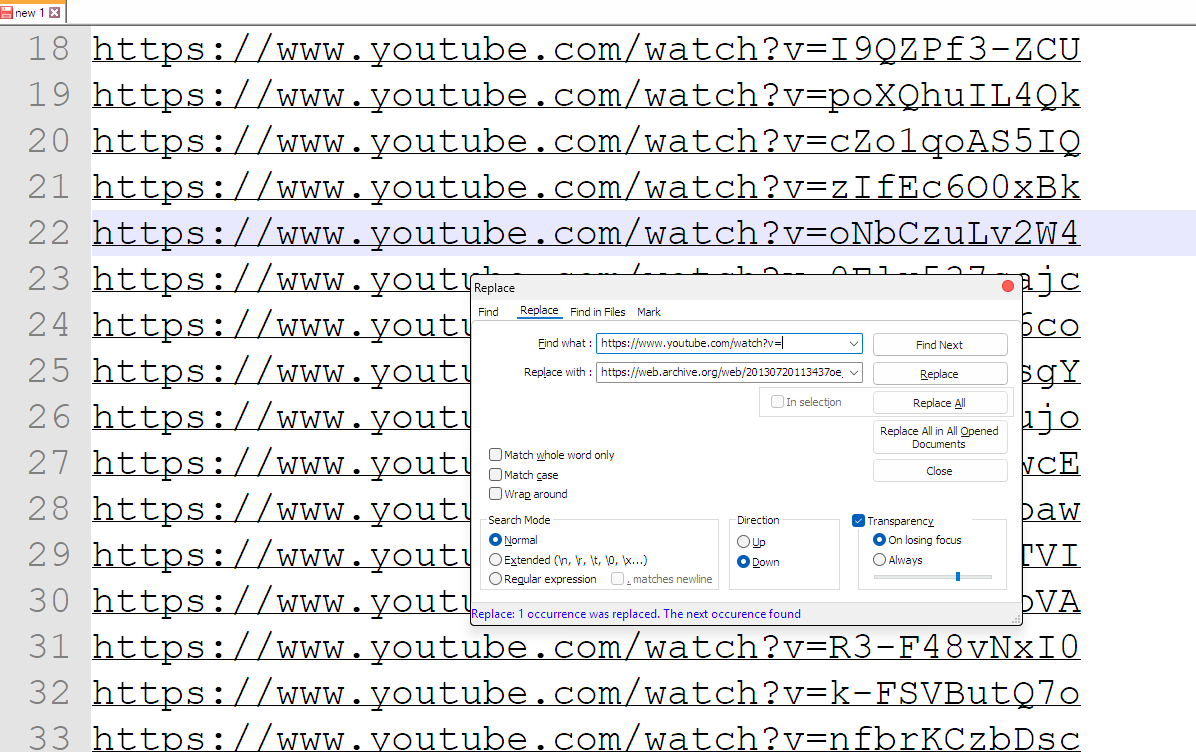
This is where Notepad++ comes in, PASTE ALL THE URLS from unavailable videos into it.
Press CTRL and H and in the text box that comes up, ENTER THIS EXACTLY
FIND WHAT: https://www.youtube.com/watch?v=
REPLACE WITH: https://web.archive.org/web/20130720113437oe_/http://wayback-fakeurl.archive.org/yt/
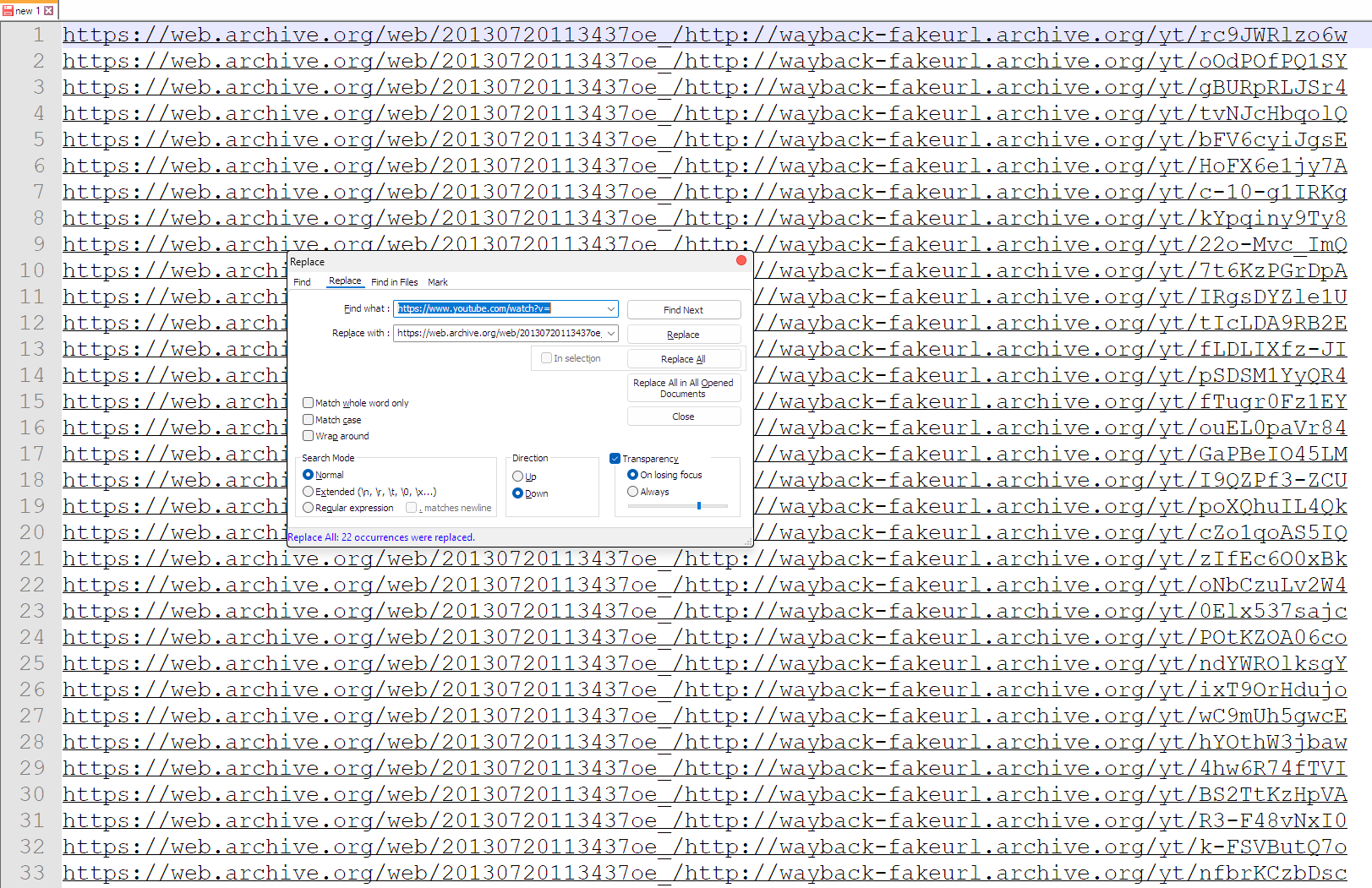
NOW HIT "REPLACE ALL"
Now, don't worry it may look overwhelming, but now time to scan for any archives.
STEP 4: SCANNING & DOWNLOADING ARCHIVES
In notepad++, press CTRL A, and then CTRL C (to copy all the URLs)
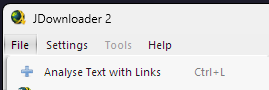
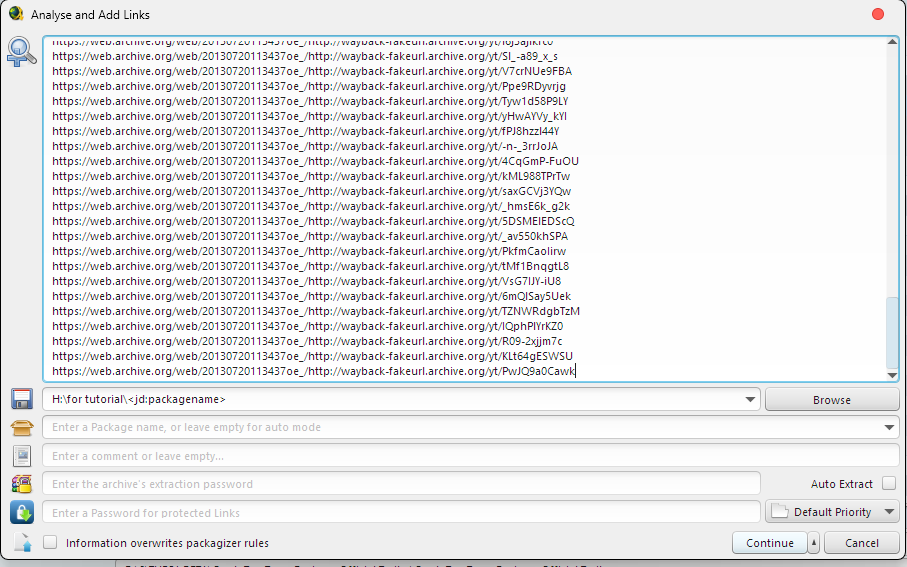
Now, open up JDownloader and click "file" and then "analyze text with links"
In the box that opens, press CTRL V and then click "CONTINUE", JDownloader will now scan all of those URLs, sit back for a few minutes.
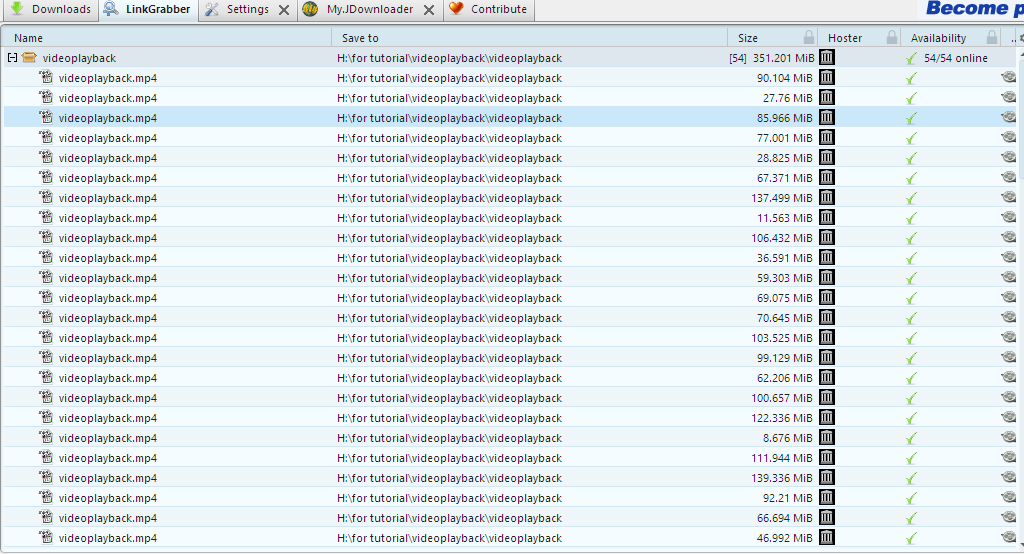
So, JDownloader has finished scanning the URLs and managed to find 54 of them are archived and downloadable! (DISCLAIMER a 54% finding ratio is not guaranteed)
Now, the downside is... all of these are saved as videoplayback.mp4, so if you're archiving a full channel, this part WILL be tiresome, if you're archiving one or two vids, not so much.
Now if you want the exact title, you can right click any entry, -> properties -> show download URLs and copy the "web archive" link and, again, just extract the video ID
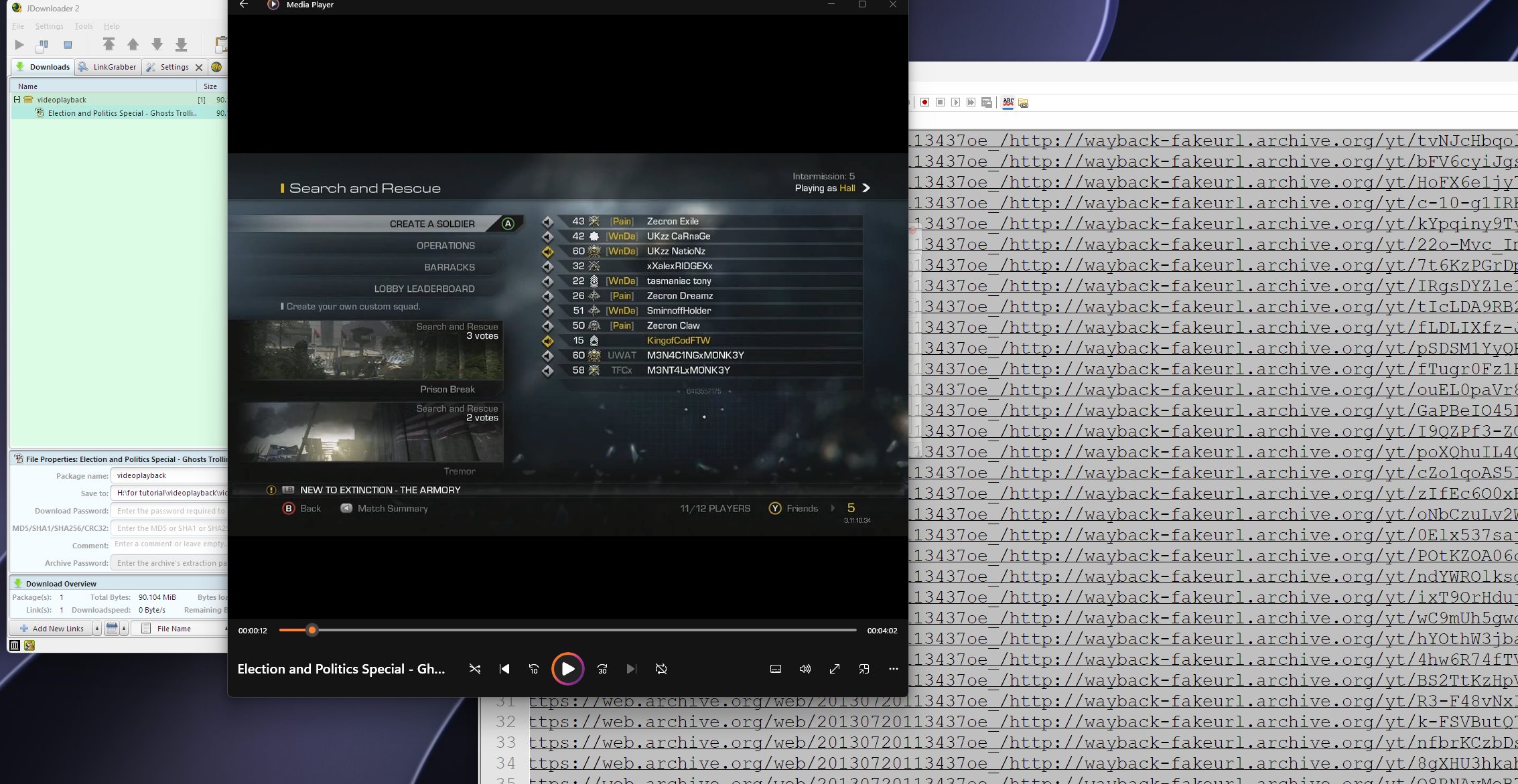
ie here is "22o-Mvc_ImQ" (topmost entry) so back to Filmot, paste the id back in the search bar and, our "videoplayback" is "Election and Politics Special - Ghosts Trolling", so we can go back to JDownloader, right click the topmost entry, and rename it to "Election and Politics Special - Ghosts Trolling"
Now once you've renamed the ones you want (or are happy with videoplayback), press CTRL A, right click and press "START DOWNLOAD".
Because this is a tutorial I'm keeping it brief, so I'm only downloading the first vid, but once it's done, double click and .... enjoy your archived content!
Some in-dev pics from BO2's development